
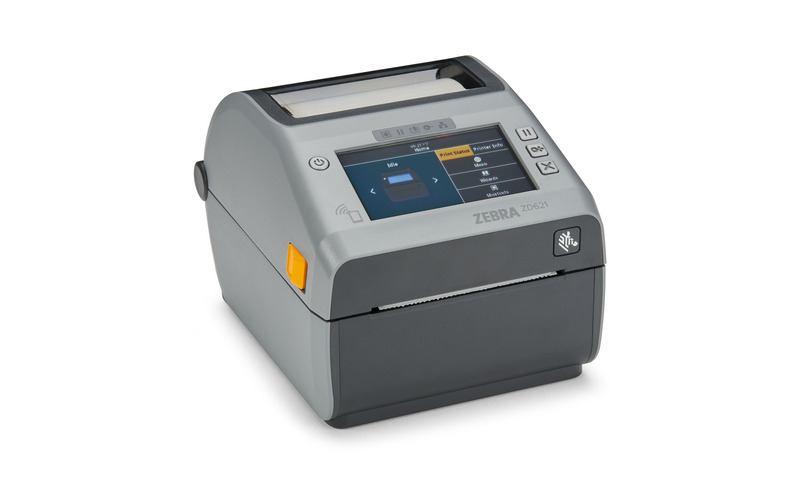
The ZD621 is the premium desktop model in the ZD600 series. Desktop footprint, but the specification moves up a tier: colour touchscreen, Ethernet, USB host, and the Link-OS software stack.
What a touchscreen is worth on a desktop unit
Desktop printers usually sit on a counter or at a workstation, and the person operating them often does not know print parameters. The 4.3-inch colour screen turns common tasks into guided menus: load media, adjust darkness, calibrate, check consumable levels. No memorised commands, no trip to a PC.
The benefit grows with the number of machines scattered across floors. Most small faults can be cleared by the person standing next to the printer, following what the screen says.
Connectivity and output
Ethernet, serial, USB 2.0 and USB host. The USB host port takes a keyboard or barcode scanner directly, so scanning a work-order code can load the matching template. That pattern is common on light production lines and in hospital departments.
8 ips at 203 dpi, 6 ips at 300 dpi, 104 mm print width. 512 MB of flash and 256 MB of SDRAM hold plenty of templates and fonts, so switching jobs does not mean waiting. Both thermal transfer and direct thermal are supported.
Where it belongs
Visitor and document labels at reception, price tags and shelf labels in shops, station-level marking on light lines, specimen and consumable labels in clinics. None of these are shop-floor environments, but all of them expect the machine to look and behave properly.
Link-OS pays off with several machines. A company with seven or eight units across sites can manage them centrally, diagnose remotely and push firmware updates as one task.
Consumables
Office and retail work usually runs coated paper with wax ribbon: low cost, adequate darkness. Labels that get laminated, or handled repeatedly on outer packaging, do better with hybrid ribbon.